For lakhs of farmers in Andhra Pradesh, e Panta status decides if they get crop benefits, input subsidies, crop insurance (PMFBY), and Rythu Bharosa payments on time. Many farmers face problems like “Pending,” “Not Verified,” “No Crop Found,” or “Land Mismatch,” especially in the Kharif and Rabi seasons.
This guide gives clear, simple, and updated (2026) steps to check your ePanta status and solve problems quickly, so your crop details are approved without delay.
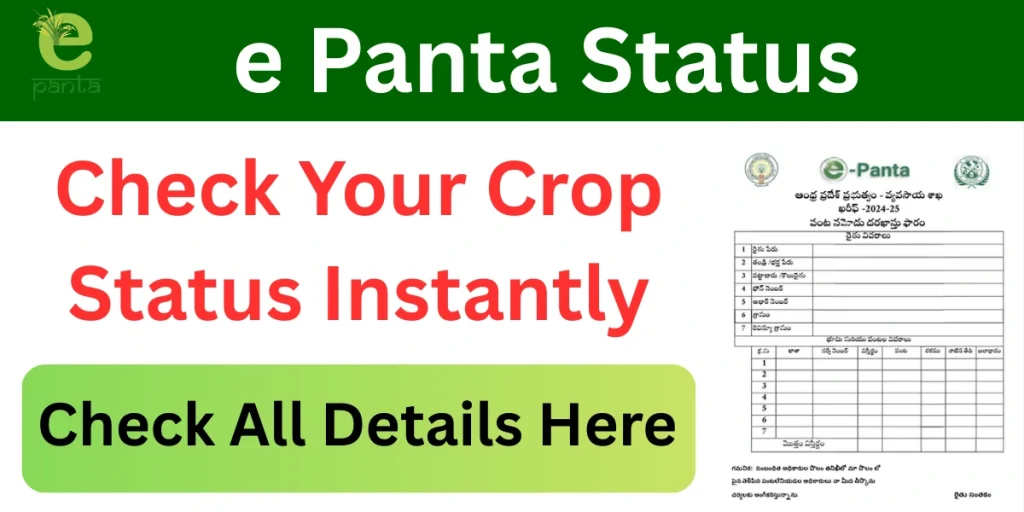
What is the e Panta Status?
e Panta Status shows the current stage of your crop registration. It tells you whether your crop details are verified by officials or if there is any problem that needs correction.
The status is linked with:
- Farmer land records
- Crop details
- Aadhaar and bank account
- Government agriculture schemes
How to Check e Panta Status Online?
You can check your e Panta status online by following these steps:
- Visit the ePanta Official Website https://karshak.ap.gov.in/ecrop/
- Click on the e Panta Status option
- Select your district, mandal, and village
- Enter your Aadhaar number or land details
- Submit the details
- Your current crop status will appear on the screen
Common e Panta Status Messages and Mean
| Status | Meaning |
| Pending | This means your crop details are submitted but not yet verified by the agriculture officer. |
| Not Verified | The officer has not approved your crop details. Verification is still required. |
| No Crop Found | Crop details are missing or not updated for the selected season. |
| Land Mismatch | The land details entered do not match official land records. |
| Approved | Your crop details are correct and accepted. You are eligible for benefits. |
| eKYC Pending | No benefits until Aadhaar verification is completed |
| Pending MAO Approval | Awaiting Mandal Agriculture Officer |
How to Fix the e Panta Status Problems?
If your status shows an error, you can correct it easily:
- Visit your village agriculture officer
- Submit the correct crop and land details
- Update Aadhaar and bank information if required
- Ensure land records are correct in MeeBhoomi
- Re-submit crop details for verification
How to Download e Panta Crop Certificate (2026)?
Follow these simple steps to download your e-Panta Crop Certificate online:
- Visit the official e Panta portal of Andhra Pradesh using your mobile or computer.
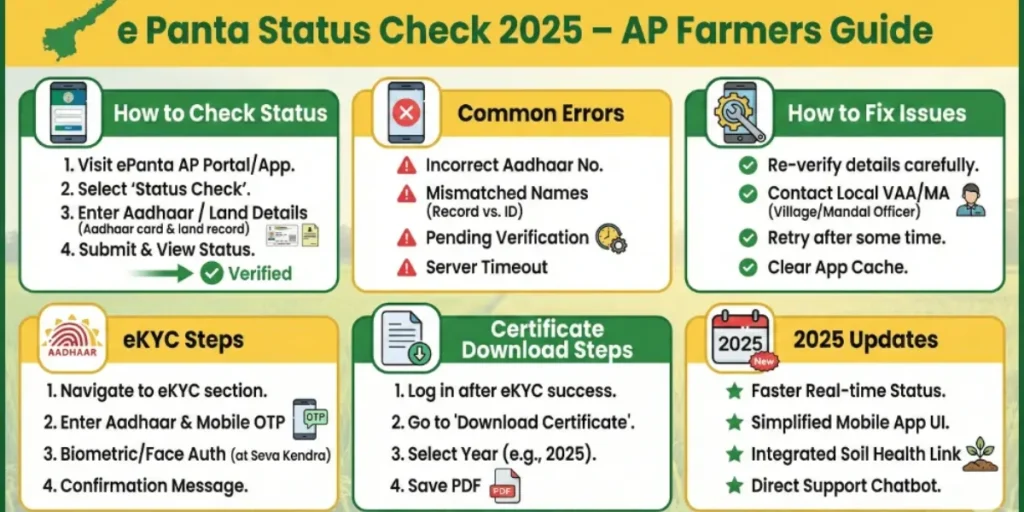
- Click on the e Panta Login option available on the homepage.
- Enter your Aadhaar number / Mobile number linked with e-Panta.
- Verify your identity using the OTP sent to your registered mobile number.
- After successful login, go to the Crop Details / Certificates section.
- Select the Agricultural Year (Kharif or Rabi) for which you need the certificate.
- Choose your district, mandal, village, and survey number carefully.
- Your registered crop details will appear on the screen.
- Click on Download Crop Certificate or Generate Certificate.
- The e-Panta Crop Certificate will open in PDF format.
- Download and save the certificate to your device.
- Take a printout if required for bank loans, crop insurance, or government schemes
Best Time to Check e Panta Status
Farmers should check their status:
- After crop booking
- Before Rythu Bharosa payment dates
- During the Kharif and Rabi seasons
- Before applying for crop insurance claims
2026 Updates for AP Farmers (Important)
1. Updated e Panta App and Portal
In 2026, the Andhra Pradesh government rolled out an upgraded e-Panta mobile app and web portal, making e Panta eKYC faster, smoother, and more accessible for farmers using smartphones or CSC services.
- Faster crop booking process
- Simplified login and verification
- Improved status tracking
2. Self-Crop Booking Facility
Farmers can now self-register and update crop details online without depending fully on village-level staff. This reduces delays and errors during crop booking seasons.
- Crop booking submission
- Field verification status
- Approval or correction requests
3. AI-Based Crop Verification
The 2026 system introduced AI and photo-based verification for selected regions. Crop photos uploaded during field verification help reduce false entries and speed up approval.
- Faster verification
- Reduced manual interference
- Higher accuracy in crop data
4. Online Crop Detail Correction
Farmers can now check and correct crop details online through official portals like:
- e-Panta portal
- Karshak AP e-Crop system
- Corrections can be requested if:
- Crop type is incorrect
- Crop area is wrongly recorded
- Land details mismatch
5. Full Integration for Rabi 2026 Seasons
From Rabi 2025–26 onwards, the updated e-Panta system is fully operational across Andhra Pradesh. All benefits linked to crop data now depend strictly on correct e-Panta entries.
- Rythu Bharosa payments
- Crop insurance claims
- MSP procurement eligibility
- Disaster compensation
How will Farmers Benefit in 2026?
- Easy crop registration through mobile or web
- Real-time SMS updates on booking and verification
- Reduced errors due to Webland integration
- Faster release of scheme benefits
- Transparent and trackable crop records
Important Tips for Farmers
- Complete eKYC early to avoid benefit delays
- Ensure land records are correct in Webland
- Verify crop details immediately after booking
- Use only official government portals or apps
- Keep Aadhaar and bank details updated
Frequently Asked Questions (FAQs)
How can I check my e Panta status?
Farmers can check their e-Panta status online using their Aadhaar number or land details on the official portal.
What should I do if my ePanta status shows an error?
If there is an error, farmers should contact the village agriculture officer or update details during the correction period.
Why does e-Panta show “No Crop Found”?
This appears when crop details are not updated correctly, or the land record is not linked properly.
What should I do if I forget my e-Panta login details?
You can reset your login using the registered mobile number and OTP verification.
Is e Panta login available on mobile phones?
Yes, the e-Panta portal works on smartphones, tablets, and computers with internet access.