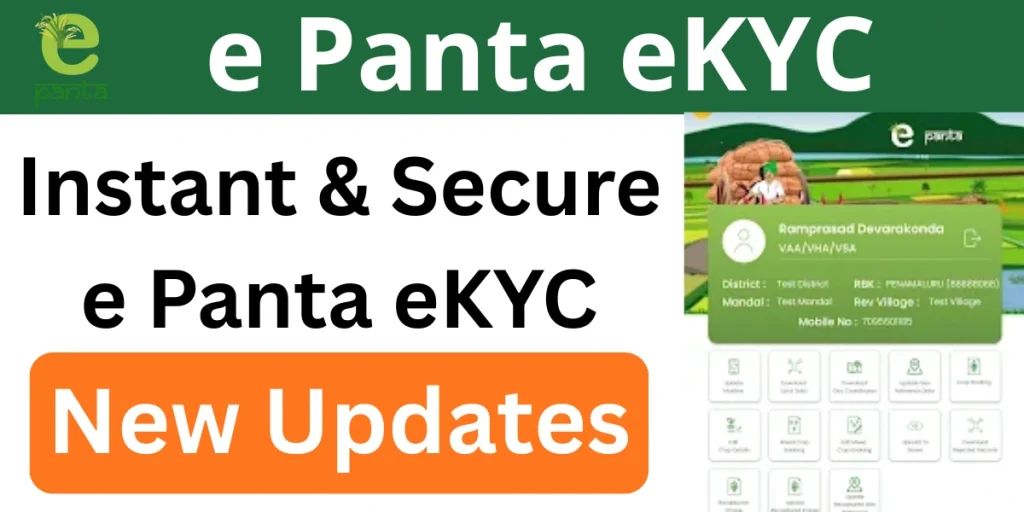
e Panta eKYC is an important online verification process for farmers in Andhra Pradesh. It helps the government confirm a farmer’s identity and crop details so that benefits like subsidies, crop insurance, and welfare payments reach the right person on time. Without completing e-Panta eKYC, farmers may face delays or rejection of benefits.
What is e Panta eKYC?
e-Panta eKYC is an electronic Know Your Customer process linked with Aadhaar. It verifies the farmer’s personal details, land records, and crop information already registered on the e-Panta portal.
The process is fully digital and ensures that:
- Crop data belongs to the correct farmer
- Duplicate or fake entries are removed
- Government benefits reach genuine cultivators
How to Complete e Panta eKYC Online?
Follow these simple steps to complete e Panta eKYC:
- Visit the official ePanta portal https://karshak.ap.gov.in/ecrop/
- Select the e Panta eKYC or Farmer Login option
- Enter Aadhaar number or registered mobile number
- Receive an OTP on the registered mobile
- Enter the OTP for authentication
- Review personal details displayed on the screen
- Verify land and crop information
- Confirm that all details are correct
- Submit the e Panta eKYC request
Types of e Panta eKYC
1. Aadhaar-Based e Panta eKYC
What is Aadhaar-Based eKYC?
This is the most common and preferred type of e-Panta eKYC. The farmer’s Aadhaar number is linked with land and crop details for instant identity verification.
How it Works
- Farmer enters Aadhaar number
- OTP is sent to the Aadhaar-linked mobile number
- OTP verification completes eKYC
Who Should Use It?
- Land-owning farmers
- Pattadar farmers
- Farmers with an Aadhaar linked to a mobile number
2. Biometric e Panta eKYC
What is Biometric eKYC?
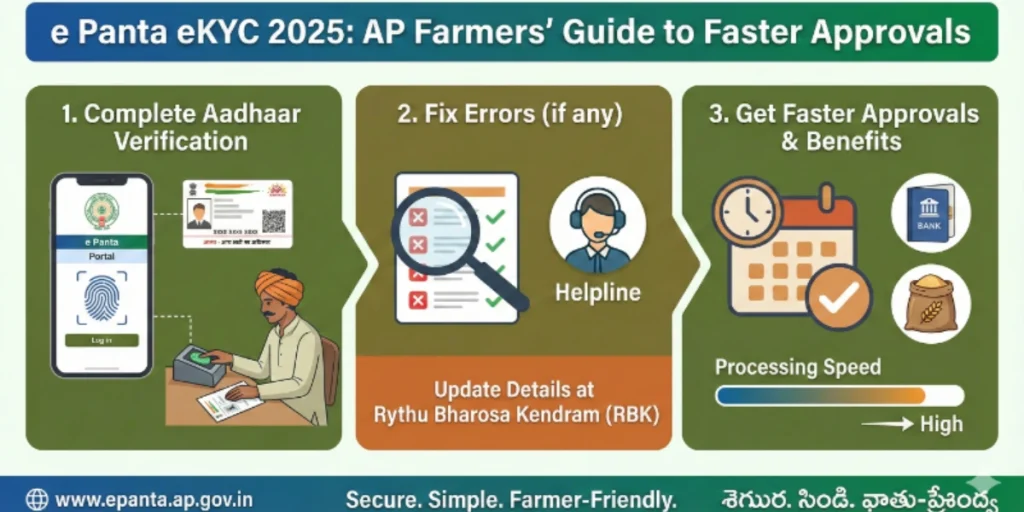
Biometric eKYC verifies farmers using a fingerprint or iris scan instead of OTP.
How does it work?
- Done at Village Secretariat / Rythu Bharosa Kendra (RBK)
- Fingerprint or iris scan via a biometric device
- Aadhaar authentication completes eKYC
Who Should Use It?
- Farmers without a mobile number linked to Aadhaar
- Elderly farmers
- Farmers are facing OTP failure issues
3. Tenant Farmer (Cultivator) e Panta eKYC
What is Tenant Farmer eKYC?
This eKYC type is for tenant farmers who cultivate land but do not own it.
How does it work?
- Tenant farmer registers as cultivator
- Landowner confirmation is required
- Aadhaar eKYC of a tenant farmer
- Crop details verified by the agriculture officer
Who Should Use It?
- Tenant farmers
- Sharecroppers
- Lease-based cultivators
4. Joint Pattadar e Panta eKYC
What is Joint Pattadar eKYC?
This type applies when multiple owners share the same land (joint patta).
How it Works
- Each pattadar completes Aadhaar eKYC
- One member is selected as the primary cultivator
- Crop details linked to the selected member
Who Should Use It?
- Families with inherited land
- Joint land ownership cases
5. Landless Farmer e Panta eKYC
What is Landless Farmer eKYC?
This type is for farmers without ownership documents but actively cultivating land.
How it Works
- Registered under the tenant or cultivator category
- Aadhaar eKYC required
- Field verification by officials
Who Should Use It?
- Small and marginal farmers
- Informal lease cultivators
6. Offline / Assisted e Panta eKYC
When online eKYC fails, officials help farmers complete eKYC manually.
How it Works
- Visit RBK or the Village Secretariat
- Submit Aadhaar and land documents
- Officer completes eKYC in the system
Who Should Use It?
- Farmers facing technical errors
- Senior citizens
- Farmers without smartphones
Documents Required for e Panta eKYC
Before starting the process, keep these details ready:
- Aadhaar number (linked with mobile)
- Registered mobile number
- Land details as per records
- Bank account details (if required)
Ensure Aadhaar is active and the mobile number is updated to receive OTP.
How to Check e Panta eKYC Status?
After completing e Panta eKYC, farmers can check their ePanta status online.
- Log in to the e-Panta portal
- Go to the “Status” or “Crop Details” section
- View e-Panta eKYC verification result
Common Problems During e Panta eKYC
Some farmers may face issues during the process. Common problems include:
- OTP not received
- Aadhaar not linked with mobile
- Land details mismatch
- Incorrect personal information
- Server or technical errors
How to Fix e-Panta eKYC Errors?
Many farmers face problems while completing e-Panta eKYC. These errors usually happen due to small mismatches in Aadhaar details, land records, or technical issues. The good news is that most e-Panta eKYC errors can be fixed easily if you understand the reason and take the correct steps.
- OTP not received
- Reason: Mobile number not linked with Aadhaar or network issue.
- Fix: Link mobile with Aadhaar, check the network, and retry OTP.
- Name mismatch error
- Reason: Name spelling differs in Aadhaar and land records.
- Fix: Correct the name to exactly match Aadhaar and resubmit e-KYC.
- Land details mismatch
- Reason: Wrong survey number or outdated land records.
- Fix: Verify land details and update records before resubmission.
- Crop details error
- Reason: Wrong crop, season, or cultivated area entered.
- Fix: Select the correct crop details and submit again.
- Aadhaar not linked
- Reason: Aadhaar not updated or incorrect number entered.
- Fix: Update Aadhaar details in e-Panta and retry e-KYC.
- Bank details issue
- Reason: Incorrect or inactive bank account.
- Fix: Update the correct bank details and ensure the account is active.
- Technical or server error
- Reason: Heavy traffic or portal downtime.
- Fix: Try again during non-peak hours with stable internet.
- Status showing Pending/Rejected
- Reason: Verification delay or data mismatch.
- Fix: Check rejection reason, correct details, and resubmit.
Seasons Covered Under e Panta eKYC
e-Panta eKYC applies to:
- Kharif season crops
- Rabi season crops
Benefits of Completing ePanta eKYC
- Faster approval of crop records
- Timely receipt of subsidies and payments
- Eligibility for government schemes
- Smooth crop insurance claim processing
- Reduced chances of errors or rejection
- Direct benefit transfer to bank account
- Easy online tracking of crop and payment status
- Saves time and avoids an office visit
Frequently Asked Questions (FAQs)
Is e-Panta eKYC mandatory for all farmers?
Yes, e-Panta eKYC is mandatory for landowners, tenant farmers, and joint pattadars to receive benefits like Rythu Bharosa, crop insurance (PMFBY), and crop compensation.
What should I do if my e-Panta eKYC shows “Pending” or “Not Verified”?
You should visit your nearest Rythu Bharosa Kendra (RBK) or Village Secretariat with your Aadhaar and land documents to complete biometric verification or correct record mismatches.
Can tenant farmers complete e-Panta eKYC without land ownership documents?
Yes, tenant farmers can complete e-Panta eKYC by registering as cultivators, submitting Aadhaar details, and getting confirmation from the landowner or agriculture officer.
What documents are required for e-Panta eKYC?
You need an Aadhaar card, an Aadhaar-linked mobile number (for OTP), land documents or patta details, and a tenant agreement (if you are a tenant farmer).
Can I complete e-Panta eKYC online from home?
Yes, Aadhaar-based e-Panta eKYC can be completed online if your mobile number is linked with Aadhaar. If not, you must visit an RBK or Village Secretariat for biometric eKYC.